Documentation Site
As your agentic workflows grow in complexity, keeping track of all actions, schemas, and prompts becomes challenging. Agent Actions solves this with an interactive documentation site that automatically scans your project and generates a browsable interface.
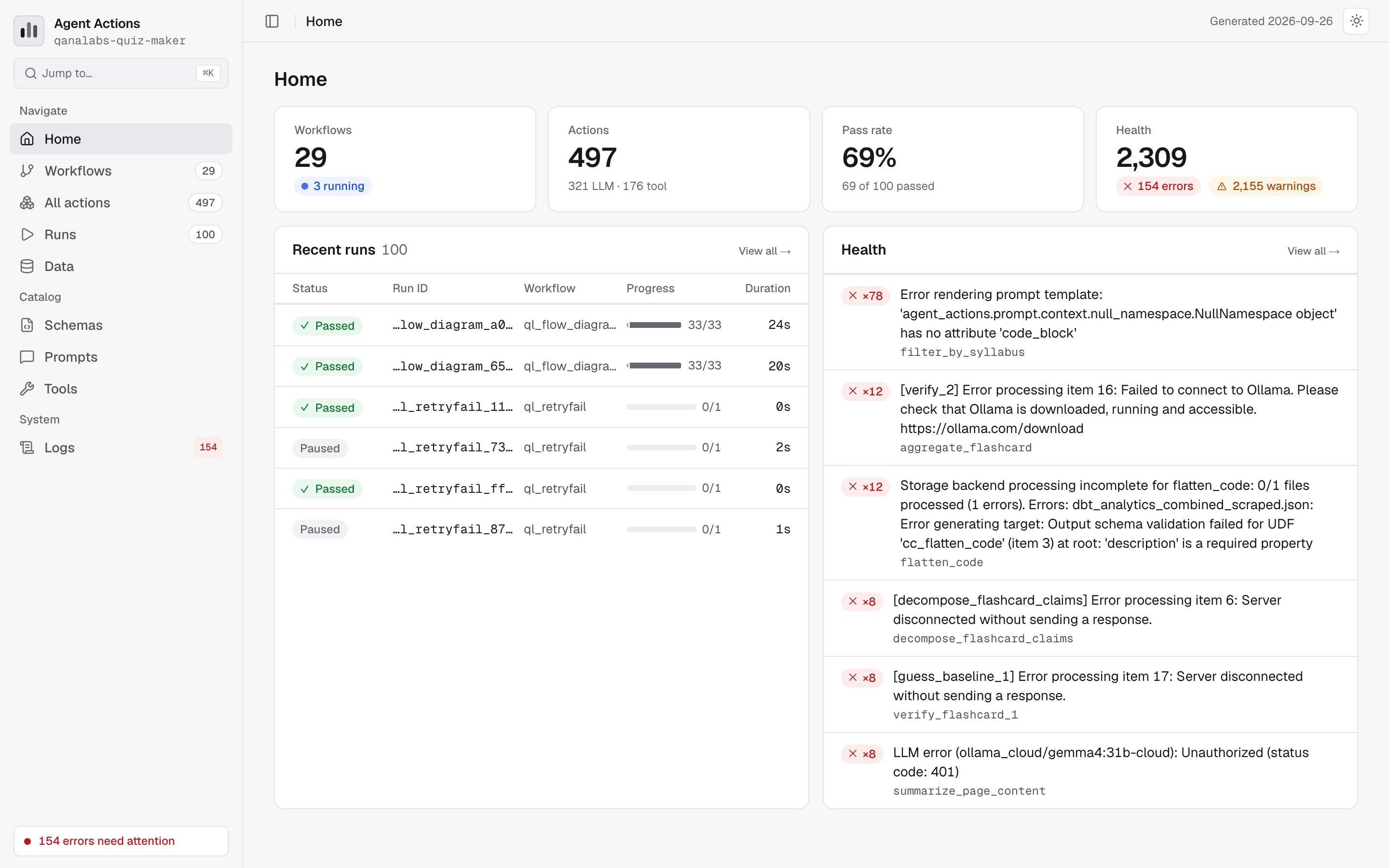
The screenshot below shows the documentation site homepage. You can explore your agentic workflows, browse schemas, view prompts, and analyze execution history—all from a single interface.
Quick Start
# Build and serve the documentation site
agac docs

# Open http://localhost:8000
CLI Commands
agac docs
Scans your project, generates documentation data, and serves an interactive documentation site. Think of this as taking a snapshot of your entire project—every agentic workflow, prompt, and schema gets cataloged—then immediately launching a browsable interface.
What it scans:
- Agentic workflows in
artefact/rendered_workflows/and*/agent_config/ - Prompts in
prompt_store/*.mdfiles - Schemas in
schema/files (.yml,.yaml,.json)
Output:
artefact/catalog.json— Agentic workflow catalogartefact/runs.json— Execution history
agac docs
agac docs --port 3000
agac docs --output ./custom-artefact
agac docs test
Runs browser tests to verify the documentation site renders correctly.
agac docs test
agac docs test -t schemas
Site Features
Agentic Workflow Catalog
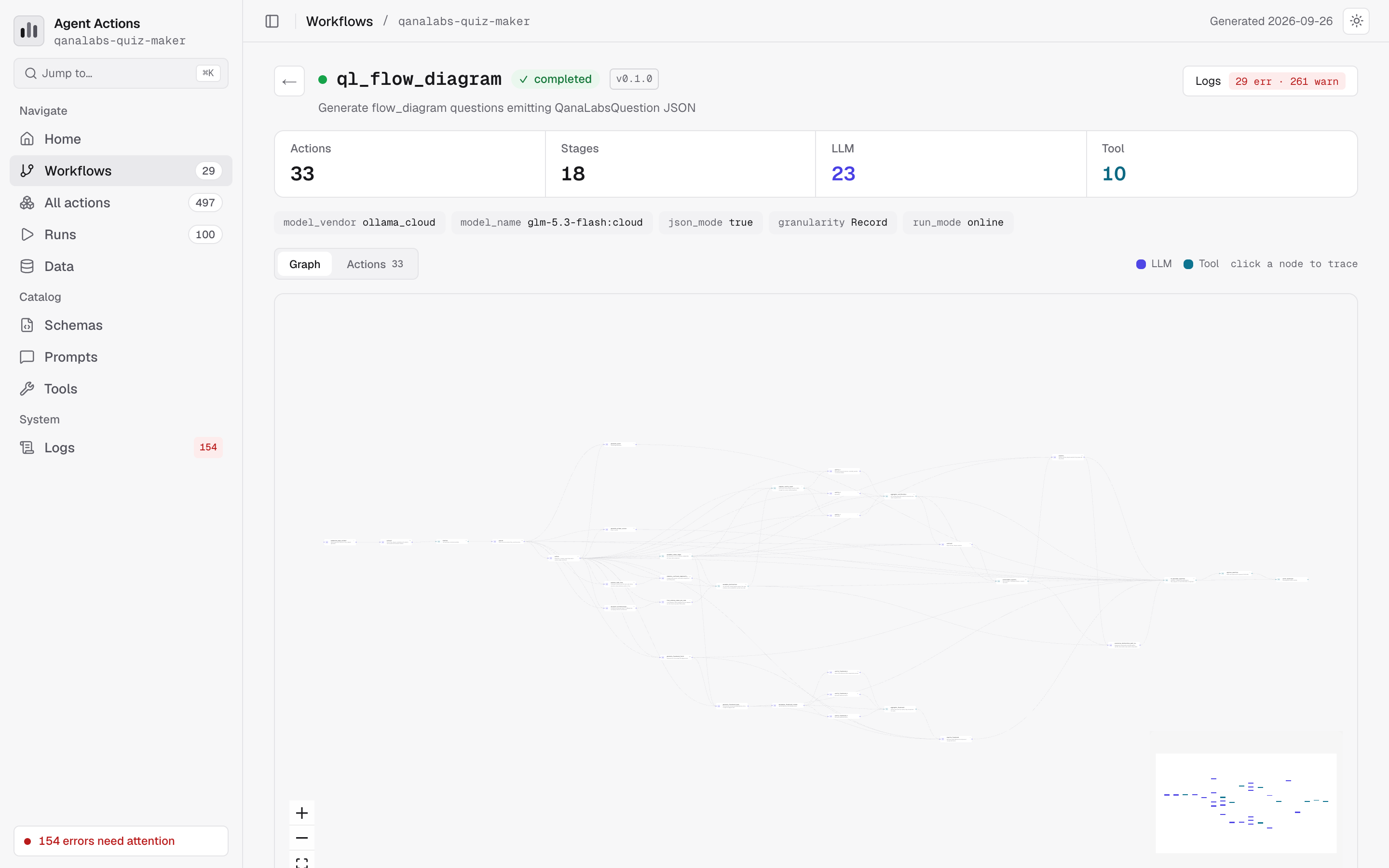
The catalog is your project's table of contents. Browse all agentic workflows with:
- DAG Visualization — Interactive graph showing action dependencies
- Action List — All actions with kind (LLM/tool), dependencies, intent
- Configuration — Defaults, vendor settings, context scope
The screenshot below shows a detailed agentic workflow view. Notice how the DAG visualization makes it easy to understand the execution order at a glance.
Run History
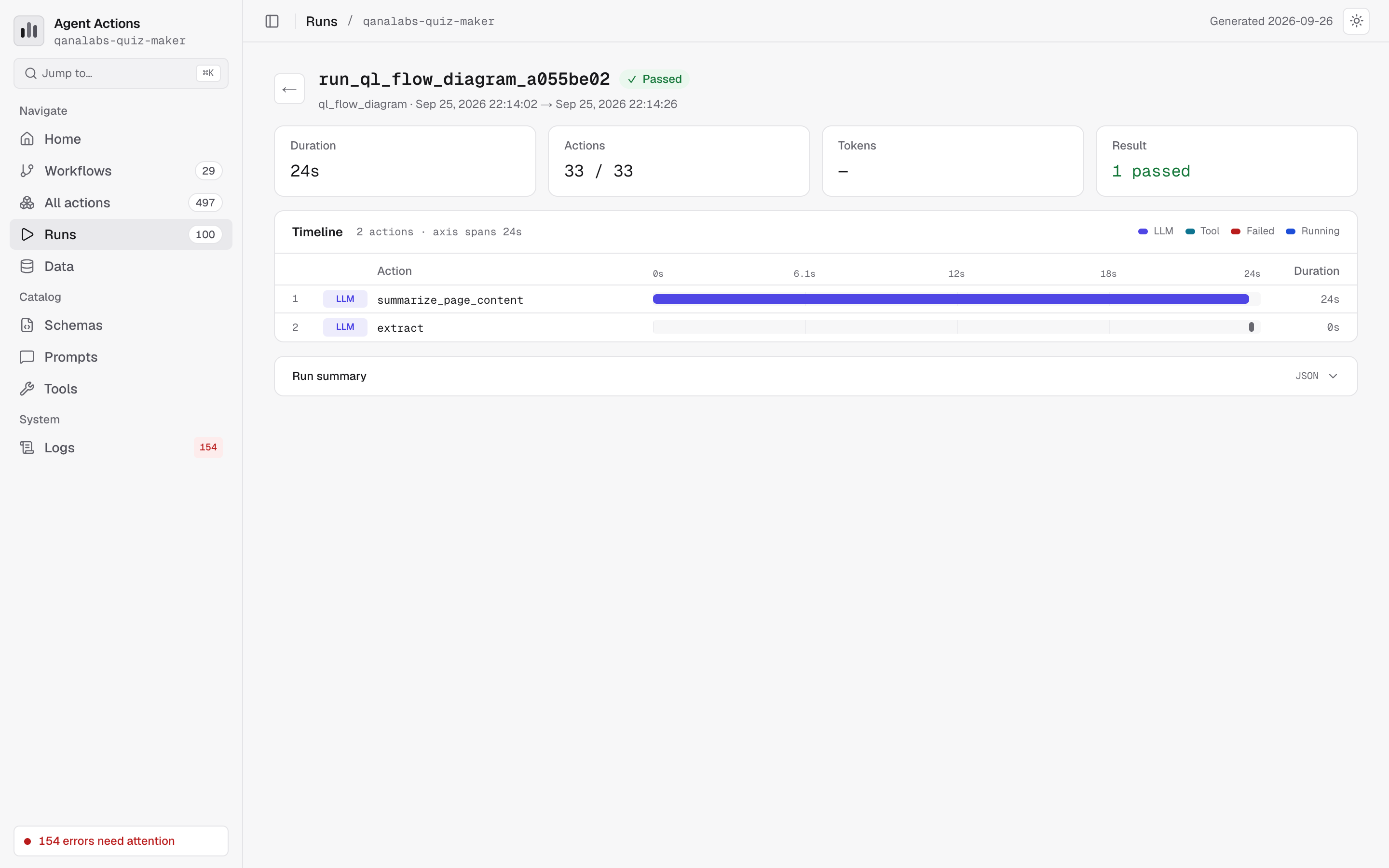
You might wonder: "How do I know if my agentic workflow is performing well over time?" The run history answers this question. View execution history for each agentic workflow:
- Executed Actions — Status, duration, token usage
- Skipped Actions — Actions filtered by guards (shown with SKIPPED badge)
- Metrics — Success rate, average duration, total tokens
The run history view helps you identify patterns—which actions take longest, which guards skip frequently, and where token usage spikes.
Schema Browser
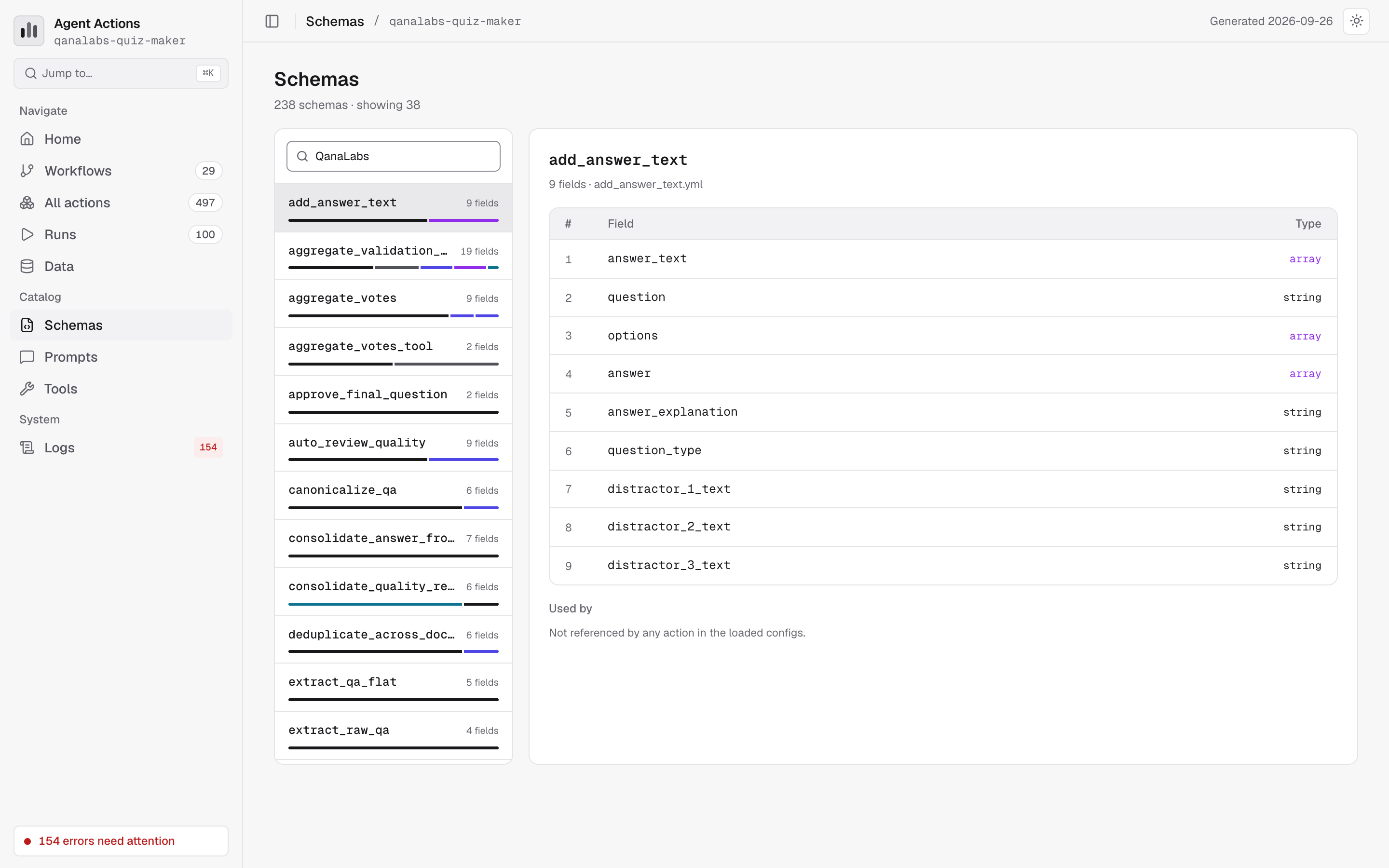
Explore all schemas with field definitions, types, and validation rules. This is especially helpful when debugging schema validation errors—you can see exactly what structure is expected.
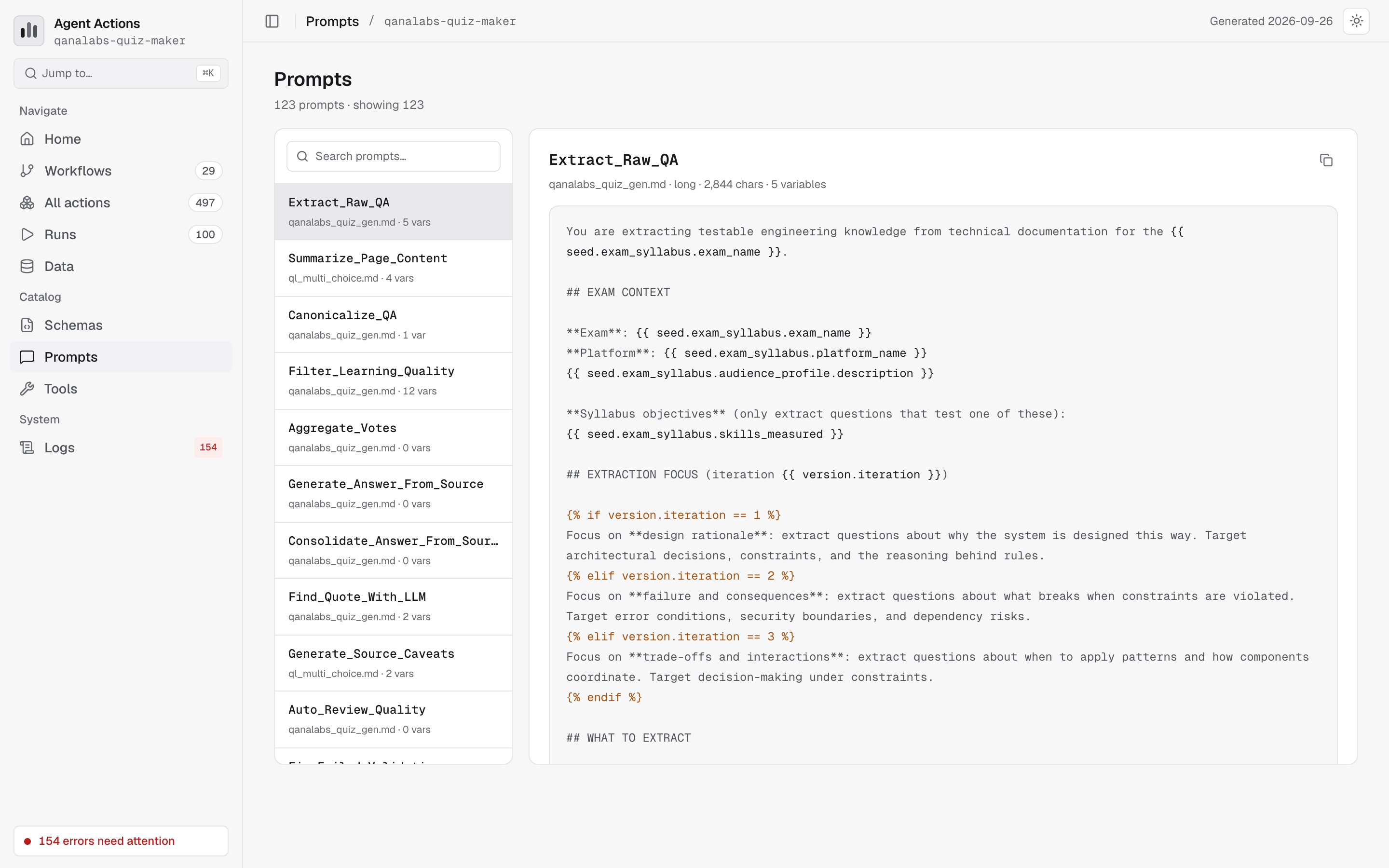
Prompt Library
View all prompts with full content and source file location. When you need to understand what an action does, the prompt library gives you the complete picture.
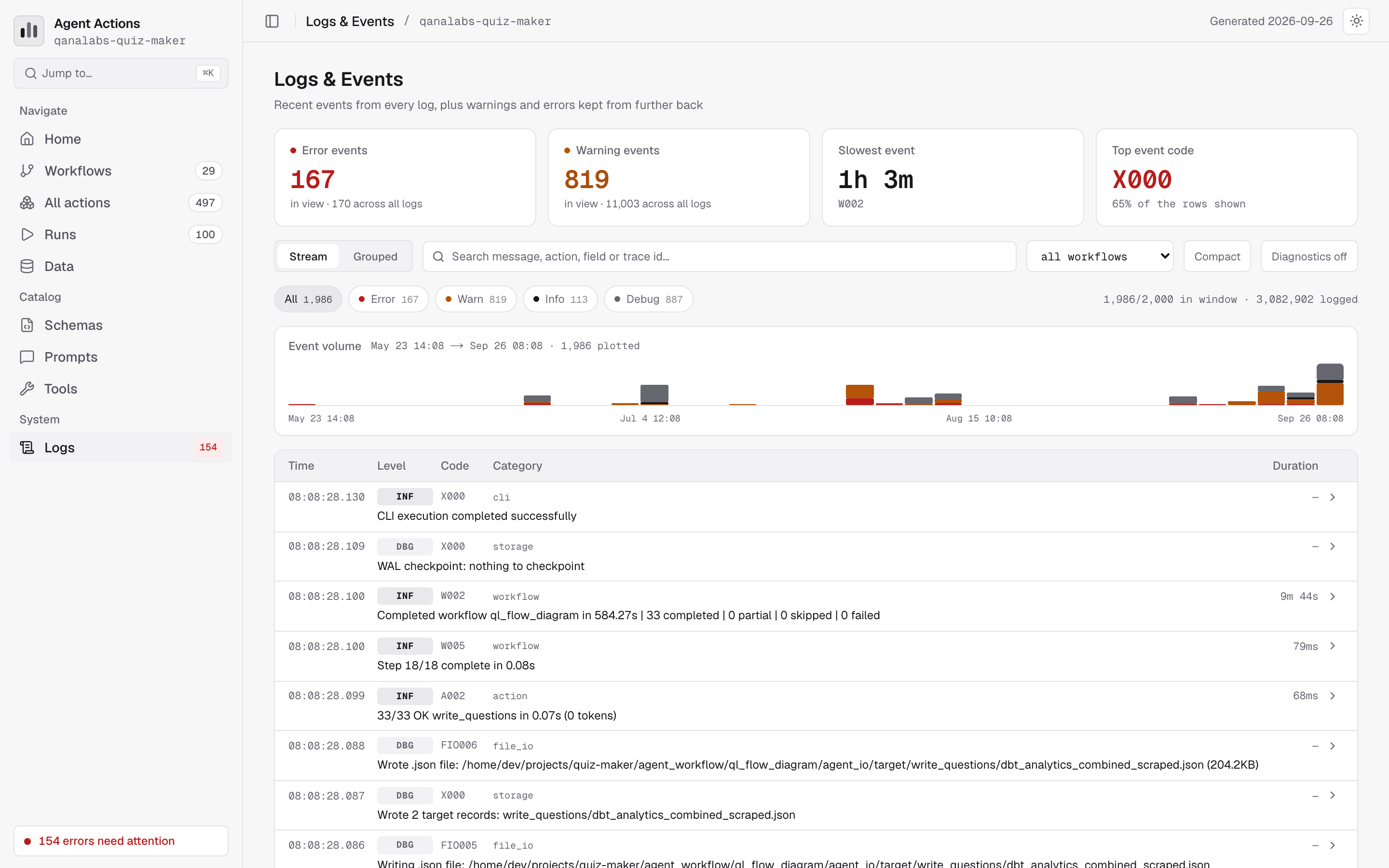
Logs & Events
The event explorer is where a "why did that happen?" ends. It reads the same
structured events the framework writes to agent_io/**/logs/events.json and the
project's own logs/events.json, showing the most recent slice shared across
every log:
- Stream or grouped — reverse-chronological rows, or collapsed by event code with counts and a share bar
- Filters — level, workflow, free text, and every
key=valuein an event's payload - Diagnostics toggle — framework-internal events are hidden by default, the same way the console hides them outside a verbose run
- Run trace — click an
invocation_idto see that run laid out as spans on a time axis
Search
Find resources quickly with full-text search across agentic workflows, actions,
schemas, prompts and tools. Press ⌘K (or /) from anywhere. As your project
grows, search becomes essential for navigating between related components. Event
codes and messages have their own search box on the Logs & Events page.
Deployment
The documentation site is a static HTML/CSS/JS application. After running agac docs, you can deploy it anywhere static files are served:
- Local development —
agac docs - Static hosting — Copy the docs site to any web server (S3, Netlify, etc.)
- CI/CD — Generate docs as part of your pipeline
The documentation site generates static files only. It does not require a backend server, but it also cannot show real-time execution data—you need to regenerate after runs complete.